

Ad-hoc analysis is where most of the damage happens. Not the modeled tables, not the dashboards with owners and tests — those get attention. It's the query someone ran on a Tuesday afternoon to answer "why did refunds spike in the Midwest region?" that ends up quoted in a board deck three weeks later, and nobody can reproduce the number.
The problem isn't that analysts are careless. It's that the tooling around one-off work assumes the work is disposable. You open a SQL console, write something, get an answer, paste it into Slack. There's no artifact left behind except maybe a query in your history that references a table that got backfilled since you ran it. Six months later someone asks "how did we get $412k?" and the honest answer is: nobody knows anymore.
This post is narrow on purpose. It's about query provenance for ad-hoc work — the lightweight patterns that let you reconstruct exactly what a query saw, when, and why, without buying a heavyweight lineage platform or forcing analysts to write documentation they'll never look at again.
Why ad-hoc queries rot faster than you think
A dashboard breaks loudly. An ad-hoc number rots silently. That's the core difference, and it's why provenance for exploratory work needs a different approach than what you'd apply to production metrics.
-
An analyst writes a query against
ordersandrefundson the 3rd of the month. -
On the 9th, a late-arriving batch of refund corrections lands and gets backfilled into the same tables.
-
On the 14th, someone re-runs the "same" query — same SQL, same table names — and gets a different number.
-
Now there are two versions of the truth and no way to tell which one was right, because both queries are correct. The data underneath them moved.
The SQL text alone tells you almost nothing. What you actually need is the SQL text plus the state of the world when it ran: which table snapshots, what filters, what the row counts looked like, who ran it and against which environment. Without that context, a saved query is just a recipe with no note about which ingredients were in the fridge that day.
The queries most likely to matter later are almost always the ones written under time pressure — during an incident, or a scramble before a meeting. Those are exactly the moments when nobody stops to document anything. So the provenance capture has to be nearly free, or it just won't happen.
What "enough" provenance actually looks like
You don't need to capture everything. Over-engineering this is the fastest way to get analysts to route around it. The goal is the minimum metadata that makes a result reconstructable and trustworthy.
Stop missing critical business insights.
Glasaly helps you create, share, and track interactive dashboards effortlessly.
- Real-time data visualization
- Collaborative report sharing
- Customizable analytics widgets
No credit card required
-
Query text — the exact SQL, not a paraphrase.
-
Execution timestamp and environment — when it ran and against which warehouse/schema.
-
Source table versions or snapshot references — the specific state of the inputs.
-
Filter and parameter values — the date range, region, customer segment that were actually applied.
-
Result fingerprint — row count and a hash or checksum of the output, plus the headline numbers.
That last one is underrated. A result fingerprint lets you answer "is this the same result I got last time?" instantly, without re-reading the SQL. If the row count was 84,213 last month and it's 84,690 now, you know the inputs moved before you've looked at a single line of query logic.
Here's a comparison of what teams typically capture versus what actually makes something reproducible:
| What most people save | What actually makes it reproducible |
|---|---|
| The SQL in query history | SQL + the parameter values used at runtime |
| The final number in a Slack message | The number + row count + output checksum |
| "Ran against prod" | Warehouse, schema, and snapshot timestamp |
| Nothing about inputs | Which table versions the query read |
| The analyst's name (maybe) | Author + purpose + linked ticket or question |
The right column looks like more work, but almost all of it can be captured automatically or with a one-line header. The purpose field is the only thing that genuinely requires a human to type a sentence.
The metadata header pattern
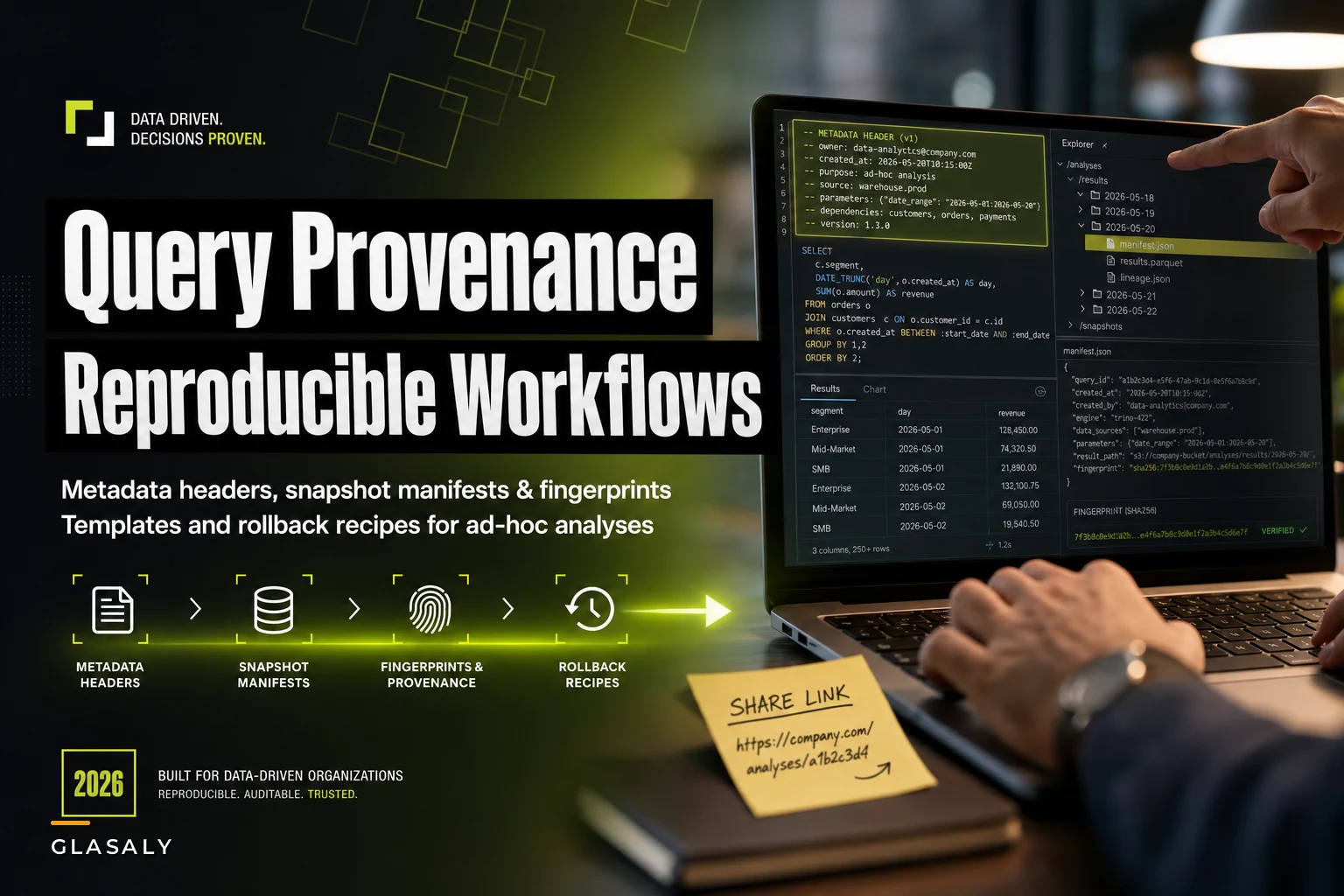
The lowest-effort provenance technique that actually sticks is a structured comment block at the top of every ad-hoc query that's likely to travel. Something like this:
``sql
-- @author: priya
-- @purpose: refund spike investigation, Midwest, requested by ops (TICKET-2291)
-- @snapshot: orders@2024-03-03, refunds@2024-03-03
-- @params: region='midwest', daterange='2024-02-01 to 2024-02-29'
-- @expectedrows: ~84k
SELECT ...
``
Why this works when heavier documentation doesn't: it lives with the query, it's copy-pasteable, and it takes about twenty seconds to fill in. When the number shows up in a meeting later, the header is right there in the query history. You don't have to hunt through a wiki.
The @snapshot line is doing the heavy lifting. If your warehouse supports time-travel or snapshots — Snowflake, BigQuery, Delta, and most modern warehouses do in some form — you can pin the query to a point in time and get actually reproducible results even after backfills. If it doesn't, the timestamp at least tells you what window of data the query could have seen, which narrows any future investigation considerably.
Keep the header short enough that completing it feels reasonable. Five lines, not fifteen.
One mistake teams make: they build an elaborate template with fifteen fields, and analysts fill in two of them.
Snapshotting results with their context
Capturing the query is half of it. The other half is capturing the result alongside the context that produced it — because the result is what people quote, and the result is what gets compared later.
A practical result snapshot includes the output rows (or a sample if it's large), the row count, and a small manifest of the provenance metadata. The point is that the number and its story never get separated.
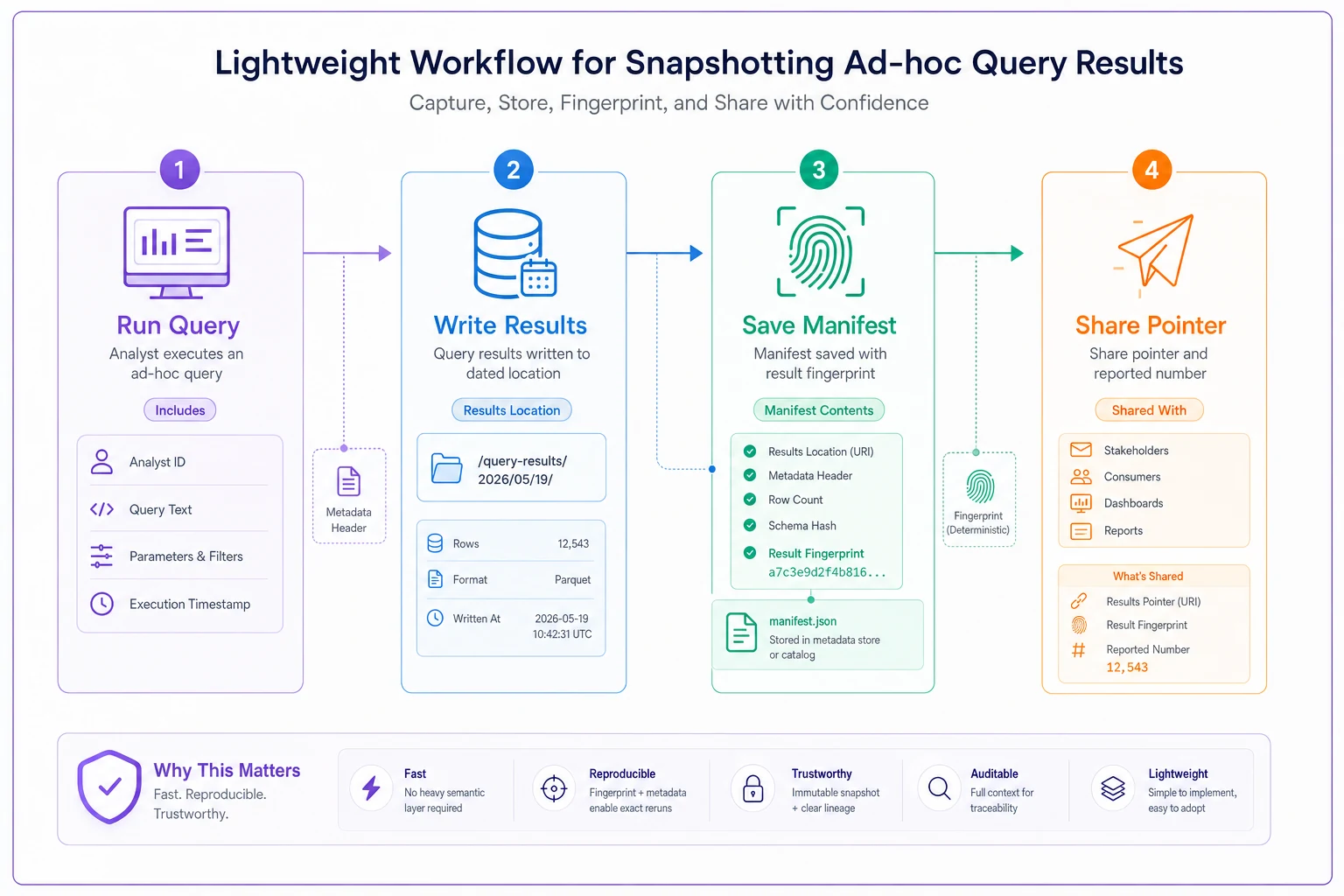
A workflow that stays lightweight looks like this:
The workflow looks like this.
-
Analyst runs the query with a metadata header.
-
On completion, the result gets written to a dated location — a
results/folder, a scratch schema table, or an export — with a filename or key that includes the date and a short slug (2024-03-03refundspike_midwest). -
The provenance header and the result fingerprint (row count + checksum + headline figures) get saved next to the output as a small manifest file.
-
When the number gets shared, the share includes a pointer back to that snapshot location.
That fourth step is the cultural one. The habit you want is: when you quote a number, quote where it came from. "Refunds up $412k (snapshot: refundspikemidwest, 2024-03-03)." It looks slightly clunky in Slack the first few times. It saves hours the first time someone challenges the figure.
This is the same discipline that makes production metric changes manageable — the practical version-control workflow for metric definitions applies the same "never separate a number from its definition" principle to modeled metrics. Ad-hoc work just needs a lighter version of it.
A real scenario
A mid-sized ecommerce operation — around $9M in annual revenue, two-person analytics team — kept running into a recurring fire drill. Finance would ask about a margin figure from the prior month, the analyst who ran it would try to reproduce it and come back with a number that was off by 3–5%. Every time, they'd burn most of a day figuring out whether the difference was a backfill, a filter change, or an actual error.
It happened often enough that they started dreading month-end questions. The root cause was always the same: refunds and cost adjustments landed late and quietly changed historical totals, and the original ad-hoc queries had no record of what they'd seen.
The fix wasn't a new platform. It was the header pattern plus snapshotting results to a dated scratch schema. Any query feeding a finance conversation got a five-line header and its result written to financesnapshots.<date><slug>.
Unglamorous, but it worked. Reproduction time on challenged numbers dropped from most of a day to roughly fifteen minutes — pull the snapshot, compare the fingerprint, immediately see whether the inputs had moved. Over a quarter, they basically stopped having the "which number is right" argument. Not because the data got cleaner, but because they could always show which snapshot a figure came from.
Rollback recipes that need almost no tooling
Reproducibility and rollback are two sides of the same coin. If you can reconstruct what a query saw, you can also recover from a bad analysis that got shared. These recipes assume you have the snapshots described above and not much else.
Recipe 1 — The number changed and you need to know why. Pull the original snapshot's fingerprint (row count + checksum). Re-run the query against current data and compare fingerprints. If the row count moved, the inputs changed — backfill, late data, deletes. If the row count is identical but values differ, an in-place update happened. This tells you in minutes whether you're chasing a data change or a logic change.
Recipe 2 — A wrong number went out and you need to correct it. Find the snapshot that produced the shared figure. Re-run against a pinned snapshot of the corrected data. Publish the correction with both provenance pointers — "original figure came from the 3rd's data before refund corrections; corrected figure uses the 15th's data." People forgive corrections far more readily when you can show exactly what changed.
Recipe 3 — You need to reproduce an old result exactly.
If you have time-travel snapshots, re-run the query with the pinned @snapshot timestamps from the header. You should get the identical fingerprint. If you don't, either the snapshot references were wrong or something about the environment changed — and now you know where to look.
Recipe 4 — You inherited a query with no provenance. You can't fully reconstruct it, but you can bound it. Use the query's last-run timestamp from history as the upper bound on what data it saw. Add the header retroactively so the next person isn't in the same position. This is the recovery move for the messy state most teams are actually starting from.
When this is worth it — and when it isn't
When it makes sense:
-
The result will be shared outside the analyst's own head — a meeting, a deck, a decision.
-
The number touches money, compliance, or anything with an audit trail.
-
The query runs against tables that get backfilled or corrected.
-
You expect anyone to ask "how did we get this?" later.
When it's overkill:
-
Pure exploration where you're just trying to understand the shape of the data.
-
Scratch queries you'll rewrite five times in the next ten minutes.
-
Anything running against a frozen, never-changing extract where reproduction is trivial anyway.
Who should skip most of this: a solo analyst who is the only consumer of their own work and runs against static snapshots probably doesn't need the full machinery. The value scales with the number of people who might question a figure and how volatile the underlying data is.
A related judgment call: the more your ad-hoc work starts getting reused — the same cohort pull every Monday, the same margin query every month-end — the more it's crossing the line from ad-hoc into something that deserves a real, tested definition. If you're rebuilding the same analysis repeatedly, that's a signal to promote it. Same reason repeatable retention analysis eventually deserves its own analyst workbook and lightweight automation rather than living as a query you rewrite from memory each week.
A reproducibility checklist you can actually use
Before a number leaves your hands and goes into someone else's decision, run through this. It takes under a minute once it's a habit.
-
[ ] Does the query have a metadata header (author, purpose, params, snapshot)?
-
[ ] Is the result saved somewhere dated and findable, not just pasted into chat?
-
[ ] Did I record the row count and headline figures alongside the result?
-
[ ] If the source tables get backfilled, did I pin a snapshot or at least log the run timestamp?
-
[ ] When I share the number, am I including a pointer back to the snapshot?
-
[ ] Could someone who isn't me reproduce this in fifteen minutes from what I left behind?
That last question is the real test. If the answer is no, the provenance isn't done yet.
Where automation quietly helps
Most of these patterns can be enforced with almost no tooling — a comment convention and a naming discipline get you 80% of the way. But the capture step is where people slip, because it depends on remembering to do it under pressure.
This is the narrow spot where workflow platforms with built-in automation earn their keep: automatically stamping every ad-hoc run with its timestamp, environment, parameter values, and a result fingerprint, writing that manifest next to the output without the analyst lifting a finger. The header stays human — the purpose line is always a judgment call — but the mechanical metadata gets captured for you, so provenance survives even when someone's rushing. The goal isn't to add a tool for its own sake; it's to make the reproducible path the path of least resistance, so nobody has to choose between speed and traceability.
Closing thought
The queries that end up mattering are almost never the ones you flagged as important when you wrote them. They're the offhand answers that got picked up and repeated, shared in a meeting, dropped into a deck. That's exactly why provenance for ad-hoc work has to be cheap enough to apply by default — you genuinely can't predict which Tuesday-afternoon query becomes next quarter's contested number.
Start with the five-line header and a dated results folder. Add a fingerprint to every shared figure. That alone will end most of the "which number is right" arguments, and it costs about twenty seconds per query. Everything else — snapshots, rollback recipes, automated capture — builds on that same small habit.
Ready to elevate your business intelligence?
Join 2,500+ businesses leveraging Glasaly to drive smarter decisions, improve team alignment, and boost operational performance.