

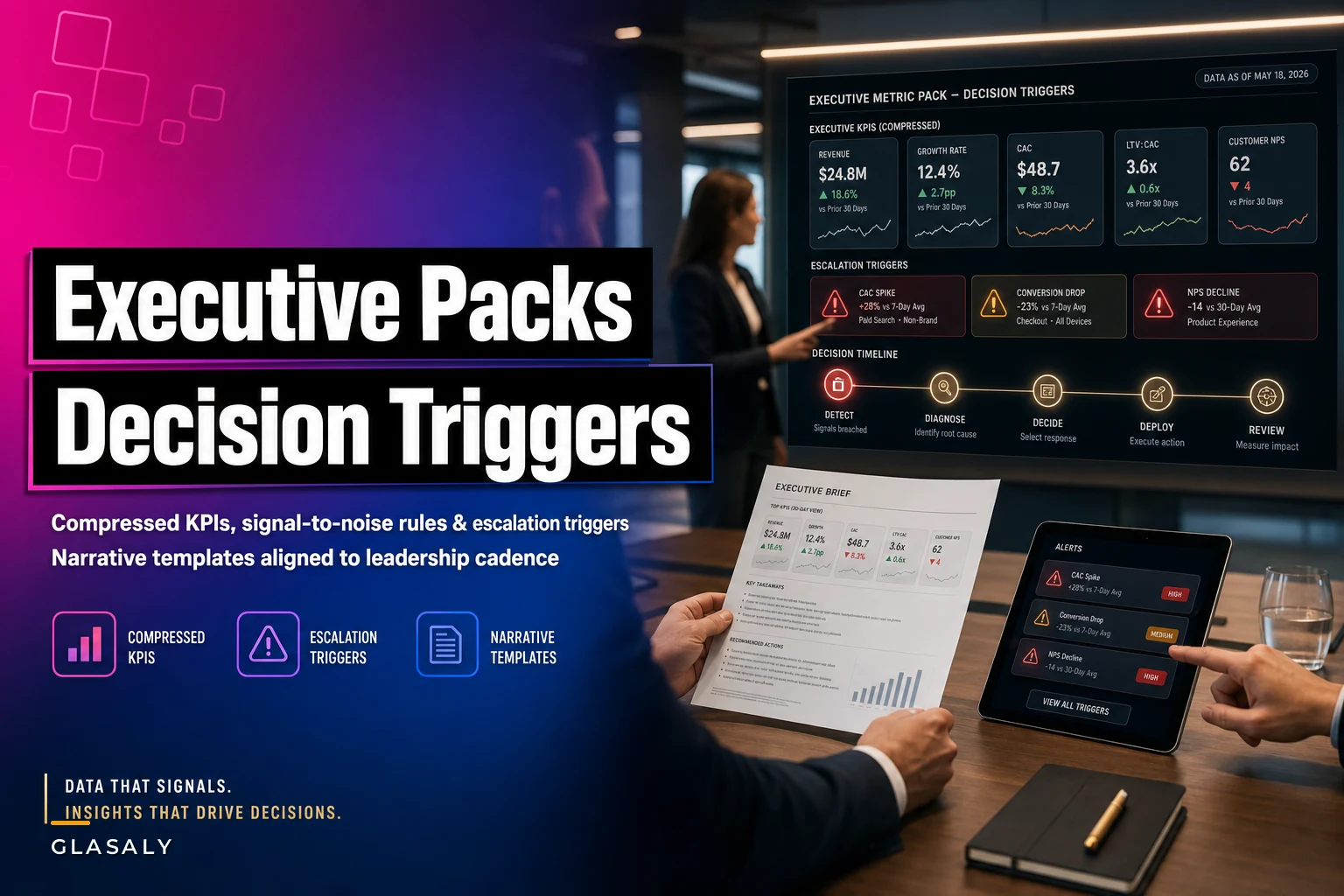

Most executive dashboards fail in a very specific way. Not because the data is wrong, but because nobody looks at 47 tiles and decides anything. The VP scrolls, nods, and moves on. Two weeks later a metric that was quietly drifting since the start of the quarter finally shows up in a QBR, and now it's a fire drill instead of a nudge.
The gap isn't visibility. It's that the pack was designed to report instead of to trigger. Those are two completely different design goals, and if you don't separate them early, you end up with a beautiful dashboard that generates zero decisions.
This is about the second kind: building an executive metric pack where each number is tied to a decision, a threshold, and a next action. Not more metrics. Fewer, sharper ones, wrapped in rules about when they matter and who moves.
The core problem: reporting packs and decision packs get confused
A data team gets asked to "build the exec dashboard." They interpret that as coverage — every function, every KPI, everything the CEO might conceivably ask about. So they ship 40+ metrics across six tabs.
The intent was safety. Nobody wants to be caught without a number when leadership asks. But coverage and decision-support pull in opposite directions. A decision pack needs to be small enough that a busy exec can absorb it in the two minutes before a meeting and know exactly what changed and whether anyone needs to act.
A useful test: for each metric on the pack, ask "what decision does this number change, and at what value?" If you can't answer, it belongs in the reporting layer, not the executive pack. In practice, about half of most exec dashboards fail this test. They're there because someone asked once, eighteen months ago, and nobody ever cleaned it up.
This is downstream of a broader discipline problem — if you haven't already tackled metric sprawl with a real taxonomy, your executive pack will just inherit the mess and look confident while doing it.
What a decision-focused pack actually contains
A pack that triggers decisions has four layers, and most teams only build the first one.
Stop missing critical business insights.
Glasaly helps you create, share, and track interactive dashboards effortlessly.
- Real-time data visualization
- Collaborative report sharing
- Customizable analytics widgets
No credit card required
-
The compressed metric — the single number or small bundle a leader tracks (not the ten drill-downs behind it).
-
The signal-to-noise rule — what counts as a real move versus normal wobble.
-
The escalation trigger — the threshold that says "this now requires a human decision" and names who owns it.
-
The narrative template — the pre-written framing so the story is consistent whether it's a good week or a bad one.
The magic is in layers 2 through 4. Anyone can put a number on a screen. The reason execs ignore dashboards is that a raw number gives no signal about whether to care. Is revenue down 3% a disaster or Tuesday? Without a signal rule, every viewer re-litigates that question in their head, and most just tune out.
Sample metric bundle for a mid-size ops leader
Here's the kind of compressed bundle that works for a VP of Operations at, say, a company doing roughly $40M in revenue. Notice how few there are.
| Metric | Compression logic | Signal rule (noise floor) | Escalation trigger | Owner |
|---|---|---|---|---|
| On-time fulfillment % | Rolling 7-day, weighted by order value | Ignore swings under 1.5 pts | Below 94% two days running | Ops manager |
| Gross margin (blended) | Weekly, vs 4-week baseline | Ignore ±0.4 pt | Drop >0.8 pt in a week | Finance lead |
| Backlog age (P90) | Days, P90 not average | Ignore ±0.5 day | P90 crosses 6 days | Fulfillment lead |
| Support CSAT | 7-day rolling | Ignore ±2 pts | Below 82 for 3 days | Support lead |
| Cash conversion cycle | Monthly, trend only | Ignore single-month noise | Two consecutive rising months | CFO |
Five metrics. Each one has a defined "don't bother me" zone and a defined "someone needs to act" line. The exec doesn't interpret — the pack interprets for them and only surfaces what crossed a line.
The P90 backlog choice matters more than it looks. Average backlog age hides the accounts that are quietly rotting. A typical pattern: the average sits at a comfortable 3 days for months while P90 climbs from 5 to 9, meaning the worst 10% of orders are aging out — and those tend to be the customers who churn. Averages are the enemy of decision packs.
Signal-to-noise rules: the part everyone skips
The single biggest reason exec packs get ignored is that they cry wolf. Every red cell looks urgent, so none of them are. The fix is defining a noise floor per metric before anyone sees a color.
This usually happens because teams set thresholds using round numbers instead of the metric's actual variance. Someone says "flag anything below 95%" without checking that on-time fulfillment naturally bounces between 93 and 97 every week. Now the metric is red half the time for no reason, and everyone learns to ignore it.
A better approach is to derive the noise floor from recent variability. Look at the last 8–12 weeks, find the normal week-to-week swing, and set your "ignore" band a bit wider than that. Only movement outside the band gets a color. It doesn't need to be a full control-chart setup — you're building a decision aid, not a research paper.
-
Persistence over spikes. Require a threshold to hold for two or more periods before escalating. A single bad day is usually noise; two in a row is a signal.
-
Direction matters. A metric drifting the wrong way for three straight weeks deserves attention even if it never crosses the hard line. Slow bleeds hurt more than single dramatic days, and packs almost always miss them.
Derive noise floors from 8–12 weeks of historical variability so you don't flag normal weekly swings as issues.
Two practical rules that cut false alarms:
Escalation triggers: where the pack stops being passive
A trigger without a named owner is just a highlighted cell. This is where most packs quietly die — the number turns red, everyone sees it, and everyone assumes someone else owns it.
The trigger definition should read like a small contract: when [metric] crosses [threshold] for [duration], [named role] does [specific action] within [timeframe]. Not "review," not "monitor." A concrete next step.
Here's a realistic escalation ladder for the fulfillment metric above:
This visual shows the typical handoff and decision points in an escalation workflow.
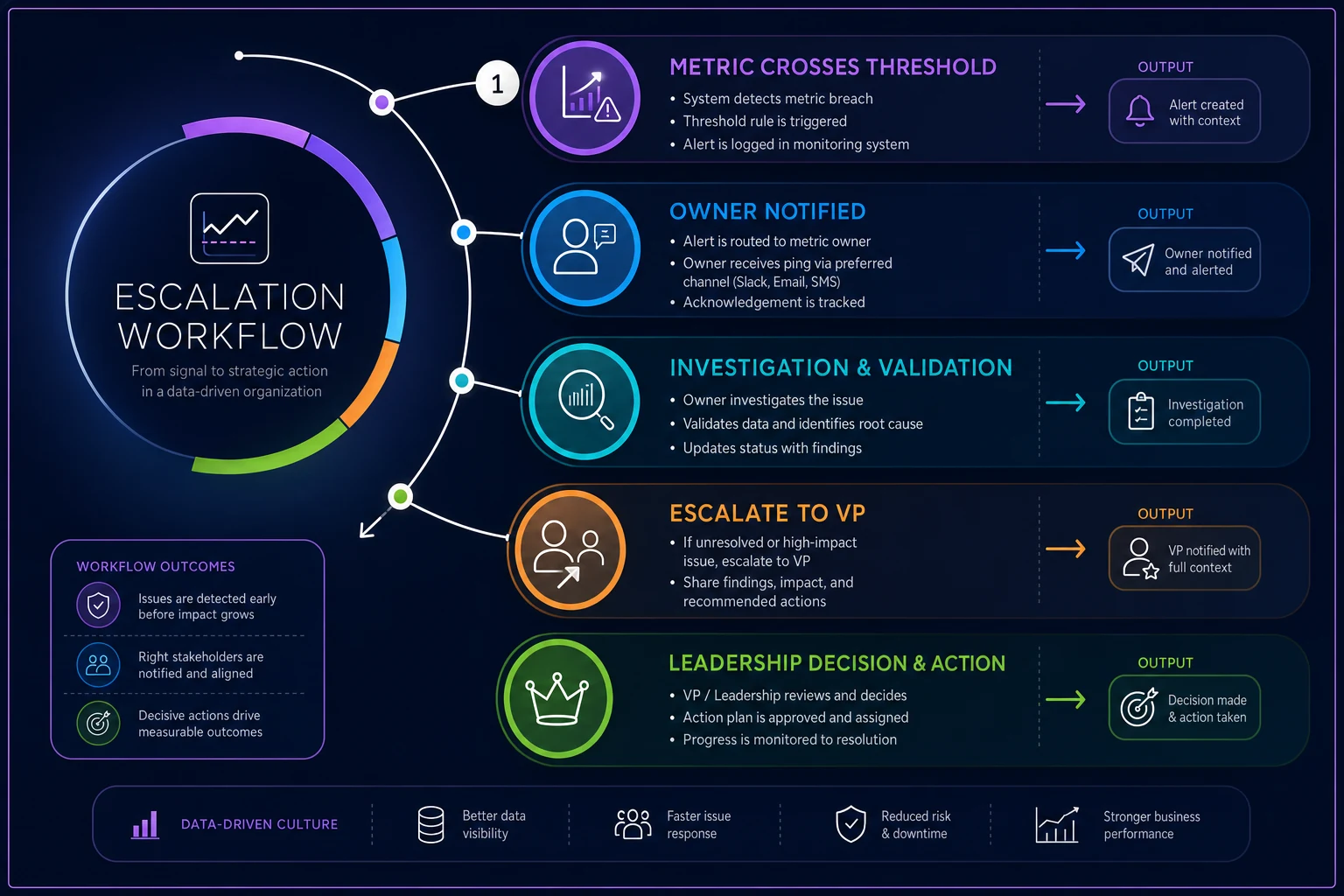
Use this flow to align who acts and when.
-
Day 1 below 94% — no escalation, logged only. Could be noise.
-
Day 2 below 94% — ops manager gets pinged, checks whether it's a single facility or system-wide, posts a one-line note.
-
Third day, or drop below 90% — escalates to the VP with the pre-written narrative, decision required within the day.
-
Below 90% for two days — pulls into the next leadership standup as an agenda item, not a surprise.
The ladder does something subtle: it keeps small wobbles away from the executive entirely and only routes up things that have earned attention. Execs stop dreading the pack because it respects their time. That trust is the whole game — a pack people trust gets acted on, a pack they don't trust gets a polite "thanks" and nothing changes.
If you want the downstream decision routines that pair with these triggers, the role-specific decision playbooks for ops, sales and support are the natural next layer — triggers say when, playbooks say what the owner actually does.
Narrative templates: stop rewriting the story every week
The most underrated part of a decision pack is the pre-written narrative. When a metric moves, the analyst or ops lead shouldn't be composing prose from scratch under time pressure. That's how you get inconsistent framing — the same 2-point CSAT dip gets called "a concerning decline" one week and "within normal range" the next, depending on who wrote it and what mood they were in.
> [Metric] is [above/below/within] its normal range. It moved [amount] over [period], [crossing / approaching / staying clear of] the escalation line. The likely driver is [known cause / under investigation]. Recommended decision: [action / hold / watch]. Owner: [name].
The value is consistency and speed. A leader reading five of these in a row gets the same shape of information every time, which is what lets them scan the pack in two minutes instead of ten. It also forces whoever fills it in to actually state a recommended decision — you can't leave that field blank, which quietly eliminates the "here's a number, good luck" problem.
One pattern worth stealing: write the good news template too. Teams obsess over the bad-news framing and leave positive movement uncommented, which means wins vanish and only problems get airtime. Leaders start feeling like the pack is relentlessly negative, and that's another reason they disengage.
Mapping packs to leadership cadence
A metric pack that fits a daily standup is not the same pack that fits a monthly board review, and jamming one into the other is a common failure. The cadence should shape the compression.
-
Daily / standup pack — operational metrics with short windows (7-day rolling, day-over-day). Very few metrics, fast-moving, focused on "did anything break yesterday."
-
Weekly leadership pack — trend-oriented, with the signal rules doing heavy lifting. This is where slow drifts should surface before they become quarterly surprises.
-
Monthly / board pack — outcome and financial metrics, longer baselines, almost no daily noise. Narrative-heavy, because the audience wants the story more than the number.
A mistake worth calling out: reusing daily-cadence thresholds in the monthly pack. A daily metric that flags on two bad days makes no sense at monthly granularity — you'll either escalate constantly or never. Each cadence needs its own noise floor and its own trigger durations, derived from that time window's natural variance.
When this is worth doing — and when it isn't
Decision-focused packs pay off when leadership actually has levers to pull and a cadence to pull them on. If your execs meet weekly and can reallocate people, budget, or priorities, a trigger-based pack turns those meetings into decisions instead of status recitals.
When this is a bad idea: if your metric definitions aren't stable yet. Building escalation triggers on top of metrics that mean different things to different teams is how you generate false fire drills. Fix the definitions first. Same goes if the underlying data is unreliable — triggers on flaky data train people to ignore the pack faster than anything else.
Who should probably not build this yet: very early teams where the CEO already knows every number in their head. The pack adds overhead without adding decisions. It starts earning its keep somewhere around the point where no single person can hold the whole operation in their head anymore — usually a few dozen employees and multiple functions.
A real scenario
A regional distribution company, roughly $30M in revenue, ran a weekly leadership meeting that was almost entirely status updates. Each function walked through its own slides. Meetings ran long, and problems consistently surfaced late — a margin slip in one product line took nearly a month to reach the leadership table because it never crossed anyone's mental "worth mentioning" bar.
They cut their exec view down to six metrics with defined noise floors and a two-tier escalation ladder. Nothing fancy on the tooling side — mostly a shared view with clear threshold rules and narrative templates filled in by the ops analyst before each meeting.
The margin-slip problem that used to take about a month to surface started landing in front of leadership within a week or so, because the persistence rule flagged it after the second down week instead of waiting for someone to notice. Meeting length dropped noticeably too — the standing update turned into "here's what crossed a line, here's the decision needed." Roughly a third of the agenda time came back.
They didn't add a single new data source. They just stopped treating the pack as a report and started treating it as a set of triggers.
A short checklist before you ship an exec pack
Before you hand off the pack to leadership, it's worth running through these in order. Skip one and you'll likely hear about it three weeks later when the wrong person gets escalated to about the wrong thing.
-
Every metric answers "what decision does this change, and at what value?"
-
Each metric has a noise floor derived from its actual recent variance, not a round number.
-
Triggers name a specific owner and a specific action, not "review."
-
Escalation uses persistence (two+ periods) to filter single-day noise.
-
Slow drifts have their own rule, separate from hard thresholds.
-
Narrative templates exist for both bad and good movement.
-
Thresholds and durations are matched to the pack's cadence.
-
The whole pack is small enough to absorb in about two minutes.
It's a short list, but in practice most teams miss at least two or three of these. The noise floor one is the most common — people set thresholds by gut feel and then wonder why nobody responds to red cells anymore.
The point of all this isn't prettier dashboards. It's to shift the pack from something leaders passively receive to something that actively routes the right problem to the right person at the right moment. A number on a screen informs. A number with a signal rule, a trigger, an owner, and a narrative moves people — and that's the only thing an executive pack is actually for.
Ready to elevate your business intelligence?
Join 2,500+ businesses leveraging Glasaly to drive smarter decisions, improve team alignment, and boost operational performance.