

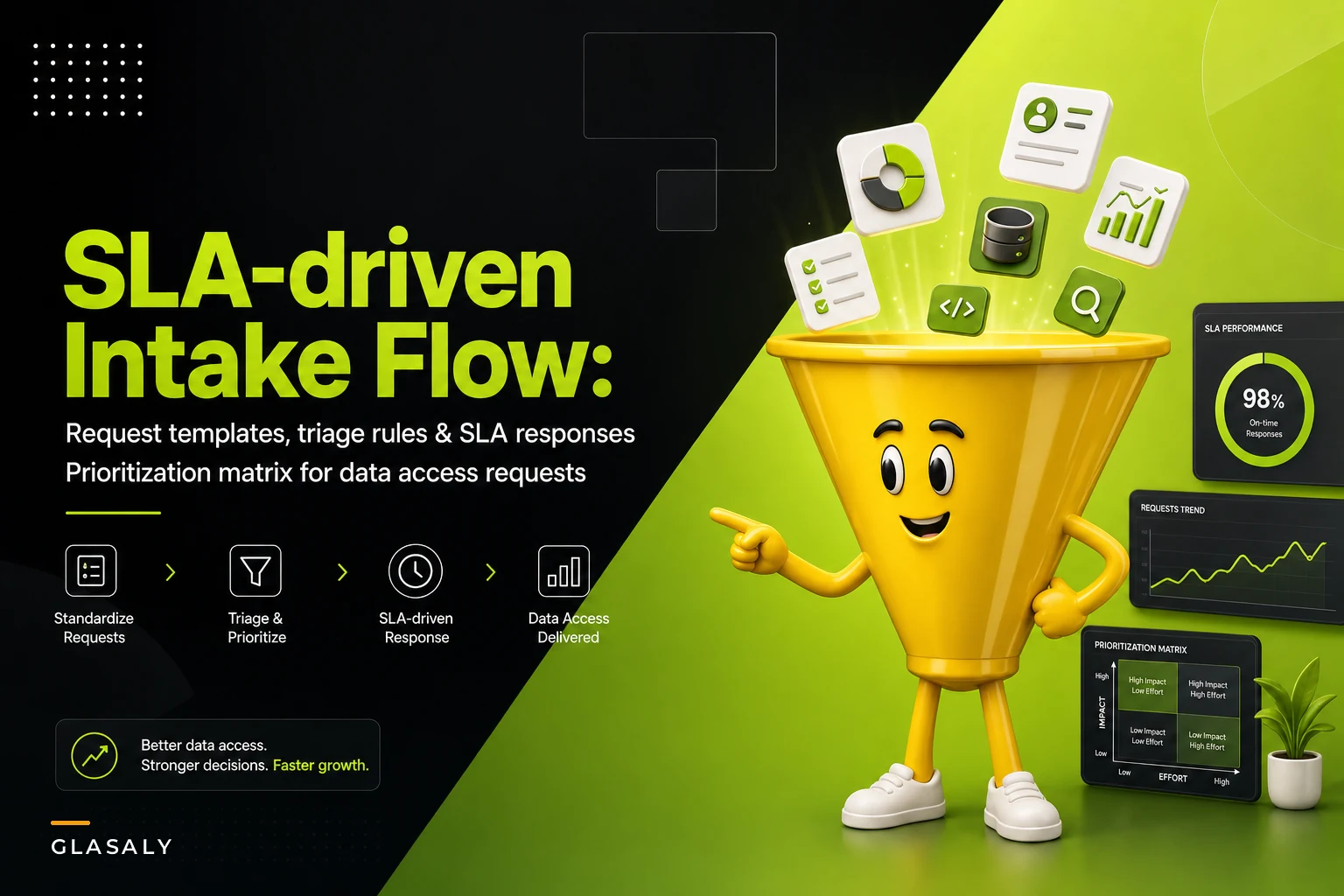

The fastest way to burn out a two-person analytics team isn't a bad data model or a broken pipeline. It's the Slack DM that starts with "quick question" and ends with a half-day of digging through a warehouse nobody documented. Multiply that by fifteen requesters across sales, ops, finance, and the CEO's assistant, and you've got a team that spends most of its week reacting instead of building.
This is the part of analytics operations almost nobody designs on purpose. Everyone builds dashboards. Almost no one builds the front door. So the front door becomes whatever channel a requester happens to use — a hallway conversation, a comment on a spreadsheet, a forwarded email with "thoughts?" in the body. And once there's no consistent intake, there's no way to prioritize, no way to say no, and no way to prove where the time went.
This is a practical data access request workflow built around templates, triage rules, a prioritization matrix, and SLA-backed response formats you can steal directly.
Why ad-hoc requests quietly wreck an analytics team
The damage isn't the individual requests. It's the switching cost and the invisibility.
In real operations, this plays out in a pretty predictable pattern. A request lands with almost no context — "can you get me last quarter's numbers by region?" Which numbers? Which region definition? Bookings or recognized revenue? The analyst spends twenty minutes just clarifying scope before touching a query. Then they context-switch away from a modeling task they were deep in, lose their mental thread, and by the time the "quick" question is answered, forty-five minutes are gone and they need another twenty just to get back into flow.
None of this shows up anywhere. No ticket, no record, no line item that says "analyst spent 11 hours this week on unplanned pulls." So when the roadmap slips, it looks like the analytics team is slow. In reality they served every fire drill that walked in the door.
A few compounding problems ride along with this:
-
No prioritization means loudest wins. The person who follows up three times gets served before the person with a genuinely urgent margin question who asked politely once.
-
Duplicate work everywhere. Three requesters ask for versions of the same cut in the same week, and the team builds it three times because nothing was logged.
-
Scope creep on every request. "While you're in there, can you also add..." turns a 15-minute pull into a 3-hour project.
-
No expectation setting. Requesters don't know if they'll hear back in an hour or a week, so they escalate, and escalation becomes the norm.
The intake problem is really a governance problem wearing a friendly face. If you've already thought about analytics as something with owners, tiers, and service levels — which we covered when we talked about how to turn analytics into an internal service — intake is the missing piece that makes that operating model enforceable at the request level.
Start with a real intake template (not a form nobody fills out)
The instinct is to build an elaborate form. Don't. The moment intake takes longer than DMing an analyst, people route around it and you're back to chaos.
Stop missing critical business insights.
Glasaly helps you create, share, and track interactive dashboards effortlessly.
- Real-time data visualization
- Collaborative report sharing
- Customizable analytics widgets
No credit card required
The goal is a template that captures just enough to triage without requiring clarification, and no more. Here's the version that tends to survive contact with real requesters:
Analytics Request Intake Template
-
Requester + team (who's asking, so we know the downstream stakes)
-
What decision does this inform? (one sentence — this is the single most valuable field)
-
The actual question (in plain language, e.g. "which regions had margin below 18% last quarter")
-
Deadline + why ("Thursday board prep" vs. "no rush, curiosity")
-
Definitions that matter (revenue = recognized or booked? region = billing or shipping?)
-
Is this recurring or one-time?
-
Acceptable format (a number in Slack, a one-off table, a dashboard tile)
The "what decision does this inform" field does more work than everything else combined. About half the time, once a requester has to write down the decision, they realize the question they asked isn't the question they actually need answered. The other half, it lets the analyst answer a better version of the request in less time.
One pattern worth calling out: make the "deadline + why" field require a reason, not just a date. When people can put a bare date, everything is "Friday." When they have to justify it, half the fake urgency disappears on its own.
Triage rules: sort before you serve
Once requests land in one consistent place, you need rules that route them without deliberating each time. Triage should be nearly automatic — the analyst opening the queue should be able to bucket a request in under thirty seconds.
A workable triage flow:
-
Is it already answered? Check whether an existing dashboard, metric, or prior request covers it. A surprising amount of intake is just rediscovery. If it exists, respond with the link and close it.
-
Is it a definition question, not a data question? "What counts as an active customer?" isn't a pull — it's a metric definition ask. Route it to whoever owns that metric, not into the pull queue.
-
Is it self-serviceable? If the requester could get this from a tool they already have access to with a quick nudge, teach the fish instead of handing it over.
-
Does it need real analysis or just retrieval? Retrieval is a pull. Analysis ("why did margin drop?") is a project and needs scoping before it enters the prioritized queue.
-
Everything else enters the prioritization matrix below.
The mistake most teams make is skipping steps 1 and 3. They treat every incoming request as new work. In practice, a meaningful chunk of intake — often around a third — is either already built or genuinely self-serviceable. Clearing those out first is the single biggest lever you have, and it costs almost nothing.
Self-service also works far better when requesters already know how to use the analytics they're handed. If your teams don't have clear decision playbooks, ad-hoc requests balloon because nobody knows what to do with a dashboard without an analyst translating it — which is exactly why embedding analytics into daily decisions tends to reduce intake volume as a side effect.
Here's a visual of the triage flow to keep the rules consistent across the team.
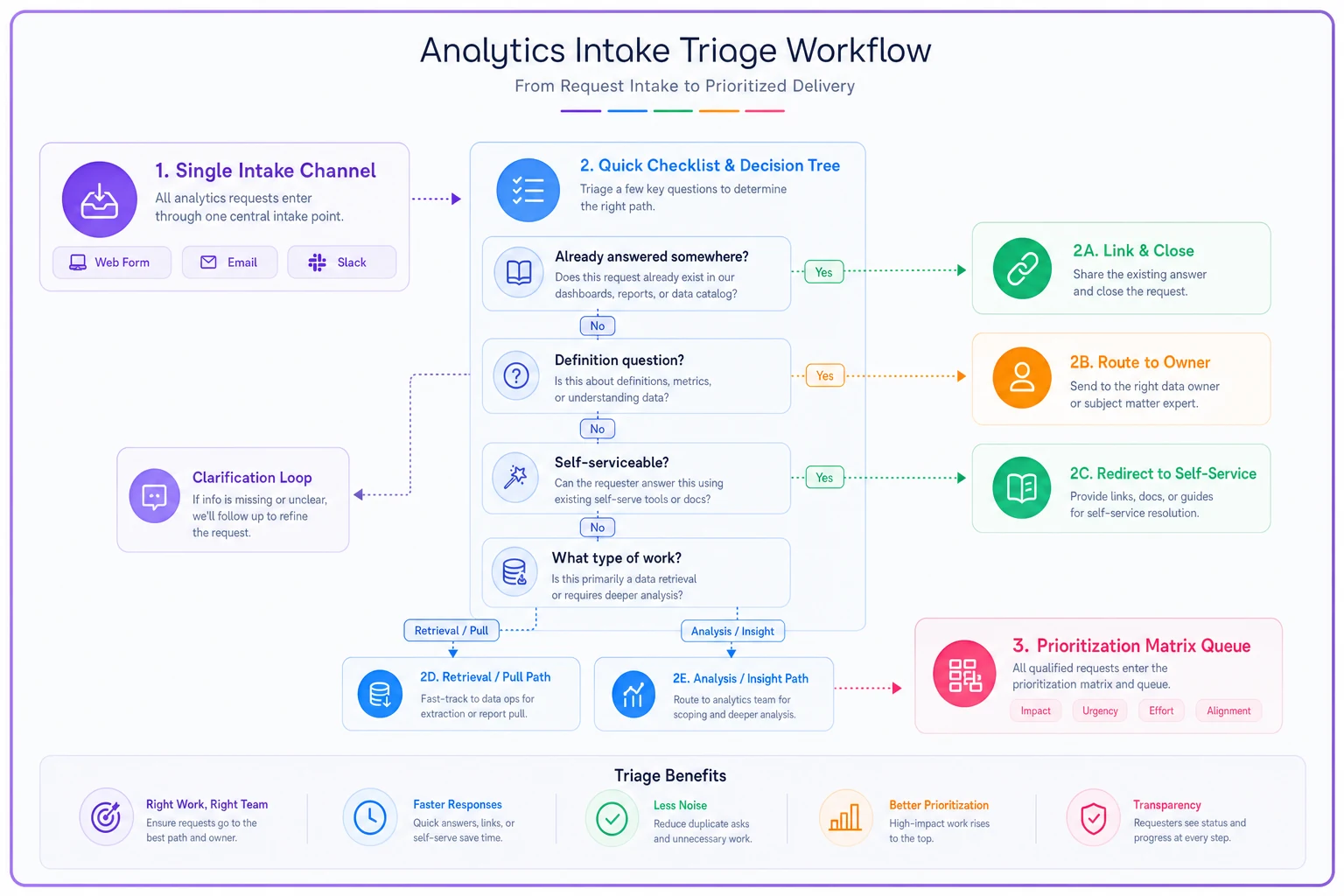
Keep the flow visible and simple so the analyst can bucket a request in under thirty seconds without debating priorities.
The prioritization matrix
For requests that clear triage and genuinely need the team, you need a shared, defensible way to rank them. The reason it has to be shared is partly political: when a VP asks why their request is sitting in the queue, you point to the matrix, not to a judgment call.
Two axes work well: decision impact and effort. Add urgency as a tiebreaker, not a primary axis — urgency is the most gamed variable in any queue.
| Impact ↓ / Effort → | Low effort (< 1 hr) | Medium (half-day) | High (multi-day) |
|---|---|---|---|
| High impact (drives money or a real decision) | Do now | Schedule this week | Scope as a project |
| Medium impact (useful, not decision-critical) | Batch into a daily block | Schedule next available slot | Push back / negotiate scope |
| Low impact (nice to know) | Batch or self-serve | Defer or decline | Decline |
A few things that make this matrix actually usable in practice:
The "high impact, high effort" cell is where teams get wrecked. These feel important so people say yes, then get swallowed by a five-day analysis that should have been a scoped project with a defined output. Force these into a scoping step. A 20-minute conversation on a multi-day request saves days.
The "low impact, high effort" cell is where you learn to say no. Declining feels harsh, but a matrix makes it a policy decision rather than a personal one. "This scores low-impact/high-effort, so it goes to the backlog behind these three higher-priority items — happy to revisit if the priority changes" is a sentence that saves careers.
Batch low-effort requests into one or two protected blocks a day to avoid interrupt-driven context switching.
And notice how much lands in "batch." Low-effort requests shouldn't be served the instant they arrive — that's the interrupt-driven death spiral. Batch them into one or two protected blocks a day and work through them together.
SLA-driven response templates
Every request gets an SLA-aligned response, even if that response is "not this week." What kills trust isn't slowness — it's silence.
Tie your response commitments to the matrix. A rough set of service levels that hold up in a small analytics team:
| Tier | What it covers | Acknowledge within | Deliver within |
|---|---|---|---|
| P1 – Urgent + high impact | Board prep, a broken exec metric, a live decision | 1 hour | Same day |
| P2 – Standard analysis | Most real requests | 4 business hours | 2–3 business days |
| P3 – Nice to have | Exploratory, no deadline | 1 business day | Best effort / backlog |
The response templates worth saving as canned replies:
Acknowledgment (auto or near-auto): > Got it — logged as [P2]. You'll have this by [day]. If the decision date moved up, tell me and we'll re-triage.
Need-more-info: > Before I run this: are we counting recognized or booked revenue, and is "region" billing or shipping address? These change the answer meaningfully. Once I have those, this is about a [half-day] and you'll have it by [day].
Self-serve redirect: > This one you can pull yourself in about two minutes — here's the tile: [link]. If it doesn't answer the underlying question, send that back and I'll dig in.
Scope pushback: > This is a multi-day analysis, which puts it behind two higher-priority items. Two options: I scope a lighter version that answers 80% of it by [day], or it enters the backlog. Which works?
Backlog / decline: > Logging this as P3 — no current capacity behind the higher-impact work this sprint. If the decision context changes, flag it and we'll re-rank.
The pattern across all of these: acknowledge fast, commit to a date, and always leave a door open to re-triage. Requesters tolerate a queue remarkably well when they trust it's fair and visible. They lose their minds when they're staring at silence.
A real scenario
A mid-sized ecommerce operation — around 40 people, one senior analyst and one junior — was drowning. Intake came through Slack, email, and a shared "requests" spreadsheet nobody maintained. The senior analyst estimated she spent well over half her week on unplanned pulls, and the modeling work that was supposed to improve their margin forecasting had slipped by roughly two months.
They didn't buy anything new. They put a single intake template in one channel, wrote the triage rules on a shared page, drew the matrix on a whiteboard, and saved five canned responses.
Two things happened in the first month. Triage step one — "is it already answered?" — closed close to a third of incoming requests with a link, because the same cuts kept getting re-requested. The "what decision does this inform" field quietly killed a surprising number of requests outright too; people looked at it, thought about it, and dropped questions that didn't actually feed a decision.
Unplanned pull time dropped to something like a third of her week within about six weeks. The margin forecasting work that had been stalled for months shipped. Nobody's throughput technically increased — they just stopped serving work that never should have hit the queue, and stopped context-switching every few minutes. The requesters were oddly happier too, because for the first time they actually knew when they'd get an answer.
When this makes sense — and when it doesn't
This whole system is overhead, and overhead only pays off past a certain volume.
It makes sense when: you have more than a handful of requesters, requests arrive through multiple channels, and your team can't clearly account for where its week went. If people are regularly surprised that "small" requests ate the roadmap, you need the front door.
-
If people are regularly surprised that "small" requests ate the roadmap, you need the front door.
It's overkill when: you're a single analyst supporting two or three people who all sit near you. The ceremony costs more than the chaos. A shared list and a quick "I'll get to that Thursday" is genuinely enough.
-
you're a single analyst supporting two or three people who all sit near you. The ceremony costs more than the chaos.
Who should not do this: don't roll out a heavy intake process to fix a trust problem. If the real issue is that leadership routes around your team because they don't believe your numbers, an SLA won't help — that's a credibility problem wearing an intake mask, and the form will just get ignored like everything else.
Getting it adopted without a fight
The failure mode isn't building the system — it's people ignoring it and DMing anyway.
-
Serve template requests visibly faster. When a properly-filed request gets answered same-day and a hallway ask gets "put it in the channel," people learn quickly.
-
Never punish the requester, punish the channel. If someone DMs you, answer kindly but reply in the intake channel and gently note where future requests should go.
-
Make the queue visible. Even a simple shared board showing what's in flight does more for trust than any SLA document.
-
Report the numbers up. Once a month, show leadership how many requests came in, how many were duplicates or self-serve, and how the prioritized work mapped to actual decisions. This is how "the analytics team is slow" becomes "the analytics team handled 60 requests and shipped the roadmap."
The point of all this isn't bureaucracy. An analytics team with no front door will always default to serving whoever shouts loudest, and that's a terrible way to allocate the most expensive, most scarce time in the building. A template, a few triage rules, one matrix, and five saved replies is a modest amount of structure — and it's the difference between a team that reacts all week and a team that actually decides what it works on.
The point of all this isn't bureaucracy. An analytics team with no front door will always default to serving whoever shouts loudest, and that's a terrible way to allocate the most expensive, most scarce time in the building. A template, a few triage rules, one matrix, and five saved replies is a modest amount of structure — and it's the difference between a team that reacts all week and a team that actually decides what it works on.
Ready to elevate your business intelligence?
Join 2,500+ businesses leveraging Glasaly to drive smarter decisions, improve team alignment, and boost operational performance.