

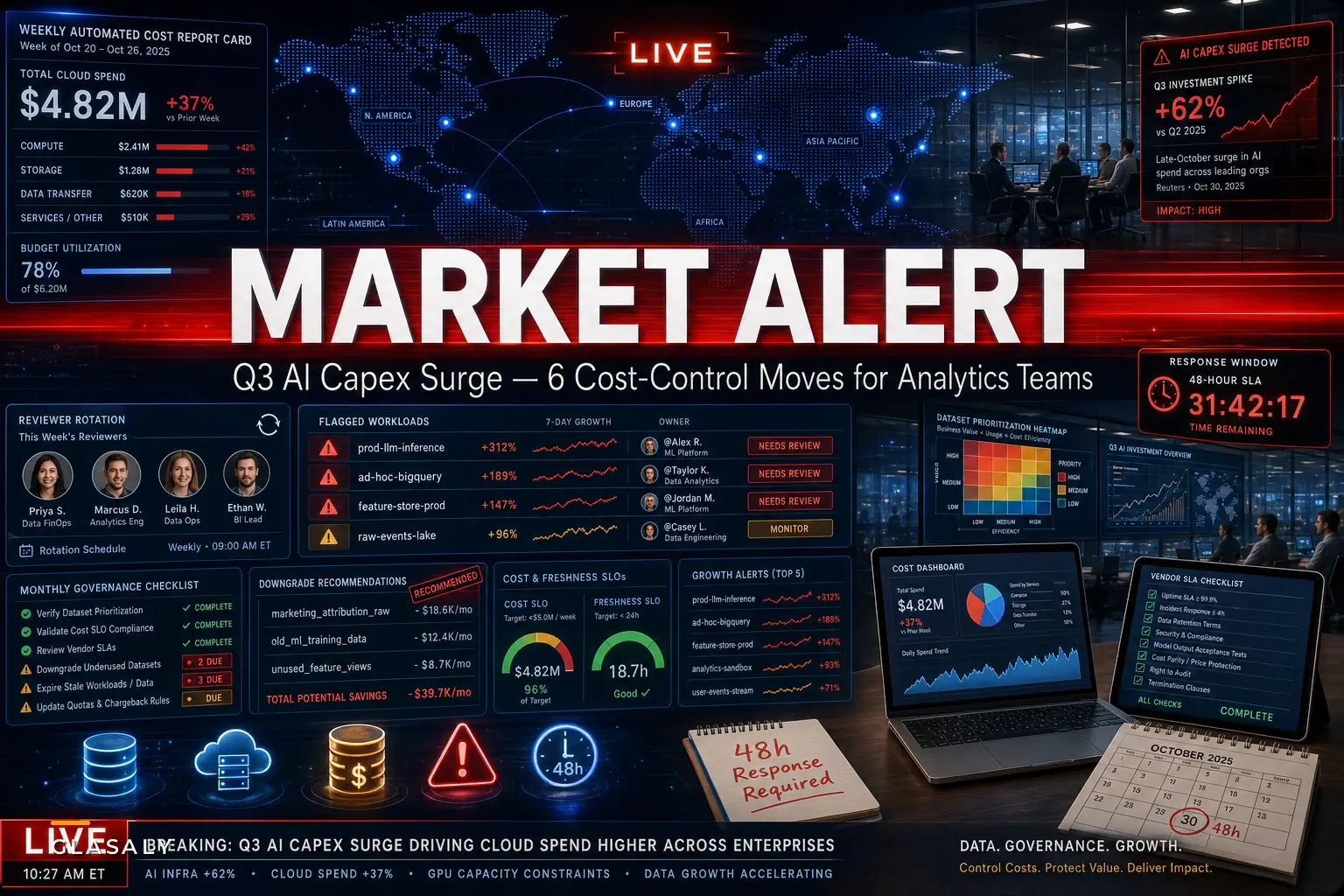

The spending wave is already here. Late October brought a run of reporting that AI-related capital investment is now a real engine of U.S. economic growth — Reuters noted that business spending on equipment, driven by the AI boom, pushed core capital goods higher in September, with AI investment and consumer activity credited for Q3 growth.
That's the macro story. The part nobody puts in the headline: every dollar of that capex eventually lands as a line item somewhere in a data team's budget. New models mean new feature stores. New feature stores mean more frequent pipeline runs, more storage, more compute, and a pile of new vendor contracts to babysit. The CFO sees "AI investment." The analytics team sees a query bill that doubled in six weeks and nobody can fully explain why.
If you run ops or analytics, this is the quarter where loose cost habits stop being tolerable. Not because of a policy change — because the baseline just shifted under you. What follows are six moves that hold up when spend is climbing fast, drawn from patterns that repeat themselves when companies scale AI workloads faster than their cost controls can keep up.
Why the AI capex wave hits analytics budgets differently
Most teams assume an AI push means a one-time infrastructure spike that eventually levels off. The cost curve rarely works that way.
The underlying problem is that AI workloads are appetite-expanding. A forecasting model that worked fine on daily batch data suddenly needs hourly refreshes to stay useful. A recommendation feature that launched on a 30-day lookback starts pulling 18 months of history because someone figured more data meant a better model. Each of those is a reasonable individual call. Stacked together over a quarter, they quietly reprice your entire warehouse.
The costs are also hard to pin down because they're distributed. There's no single giant invoice. It's a 40% bump in query volume here, a feature-store refresh that went from nightly to every 15 minutes there, three new SaaS tools each billing on a different metric. Reuters' broader reporting noted that the AI boom is lifting growth without clear signs of a turning point — which is great for GDP and genuinely uncomfortable for anyone trying to hold a predictable data budget.
The real exposure isn't the raw dollars. It's that cost attribution hasn't kept pace with spending. When finance asks what drove the increase, teams that can't answer in under a day tend to absorb budget cuts that hit the wrong workloads.
The six moves, in the order they actually pay off
Most "cost control" lists are pretty generic. Tag your resources, delete old tables, done. That advice is fine until spend is growing 20%+ a quarter, at which point it's like bailing a boat with a coffee cup. The moves below are ordered by how fast they return effort during a genuine spending surge.
Stop missing critical business insights.
Glasaly helps you create, share, and track interactive dashboards effortlessly.
- Real-time data visualization
- Collaborative report sharing
- Customizable analytics widgets
No credit card required
1. Attribute cost to workloads before you try to cut anything
You can't negotiate with a bill you can't decompose. The first move is boring, and it's the one everyone skips: tie spend to workloads, not just departments.
-
Every scheduled job carries a
workload_idand anownerlabel -
Ad-hoc query spend gets rolled up by user and tool, reviewed weekly
-
A simple monthly view showing cost per workload, ranked, with month-over-month delta
Once teams can rank workloads by cost growth — not just total cost — the top three usually account for most of the surprise. One mid-sized ecommerce team found a single "exploratory" notebook job left on an hourly schedule after an experiment ended. It was running up roughly $2,800 a month for a model nobody had shipped.
2. Put guardrails on the stuff that scales silently
Query spend and refresh frequency are the two dials people turn without noticing. These need ceilings.
-
Max scan size per interactive query (kills the accidental full-table scan on a 4TB table)
-
Refresh frequency approval for anything tighter than hourly — someone has to sign off on 15-minute cadence
-
Auto-expiry on temp and scratch datasets, 30 days default
-
Spend alerts per workload, not just account-wide, so a single runaway job trips before the monthly bill arrives
The evergreen version of this — low-effort governance policies and specific query/storage controls worth starting with — is covered in depth in this breakdown of how to stop runaway analytics costs. Worth reading alongside this if you're setting these up for the first time.
3. Separate "needs to be fresh" from "feels nice to be fresh"
This is where the biggest savings usually hide, and it requires an uncomfortable conversation.
| Dataset / feature | Who consumes it | Decision cadence | Freshness that's *justified* | Freshness currently *running* |
|---|---|---|---|---|
| Fraud scoring features | Automated system | Per-transaction | Minutes | Minutes ✅ |
| Inventory reorder signal | Procurement team | Daily | Daily | Hourly ⚠️ |
| Exec revenue dashboard | Leadership | Weekly review | Daily | Every 2 hours ⚠️ |
| Churn model features | Weekly batch scoring | Weekly | Daily is plenty | Hourly ⚠️ |
The pattern is almost comically consistent: the fresher-than-necessary rows are where money leaks. Downgrading three or four of these from hourly to daily often trims a meaningful chunk of pipeline cost with zero impact on any actual decision.
4. Make vendor contracts earn their price during negotiation, not after
The AI capex surge means more tools, and more tools means more contracts signed quickly. That speed is where teams overpay and under-protect.
-
Freshness SLA in writing — not "near real-time" marketing language, an actual latency commitment with a remedy if missed
-
Acceptance tests you run on your data, not their demo data, during the trial
-
Usage-based cost caps or alerts, so a consumption-priced tool can't surprise you
-
Clear data-quality and liability clauses given how much is being automated downstream
-
A clean exit path — export format, notice period, no hostage pricing
The mistake that comes up most often: teams negotiate hard on seat price and ignore consumption terms. Then the tool that looked cheap at signing bills three times the estimate once it's embedded in daily pipelines.
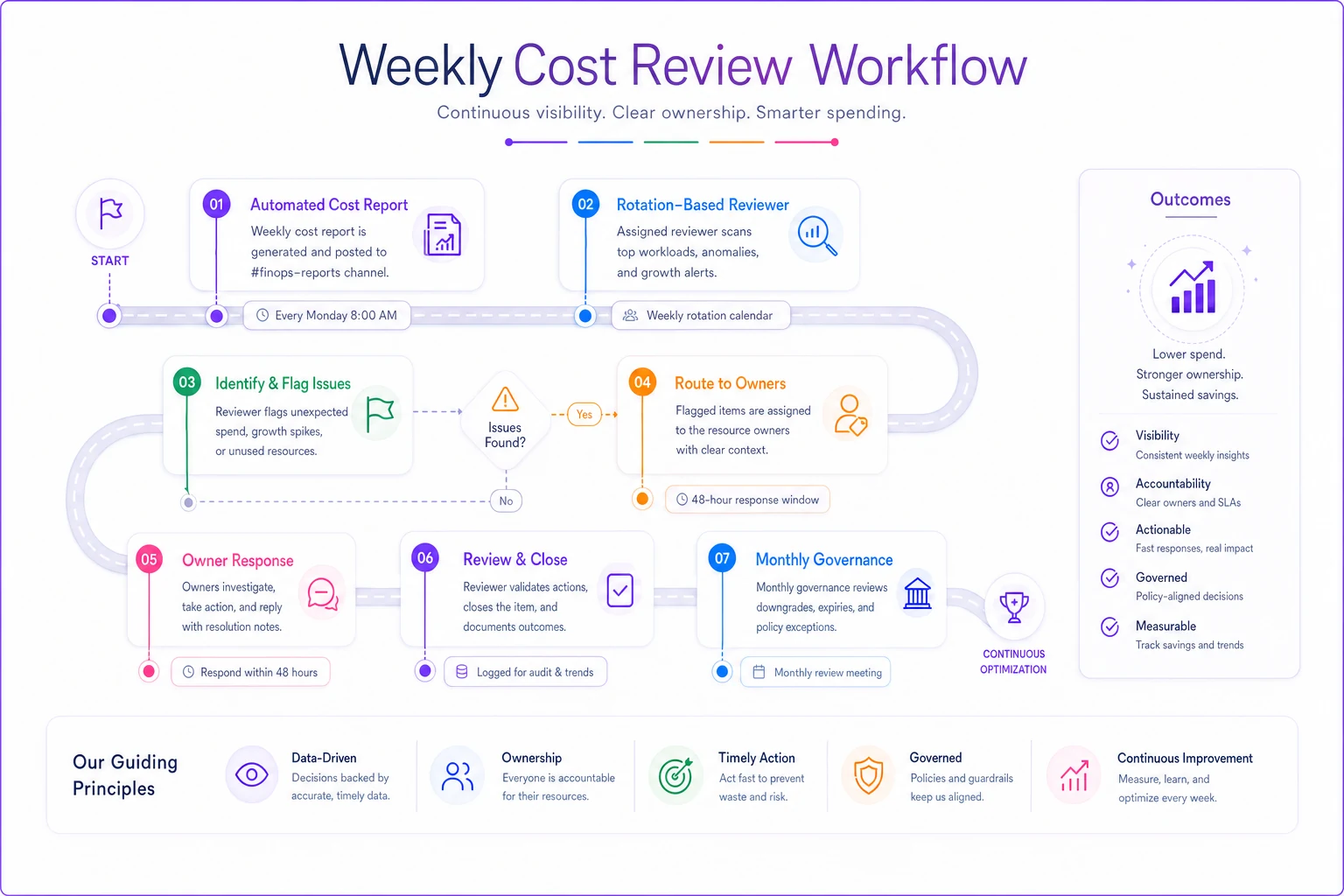
5. Build a weekly cost review that takes 20 minutes, not a committee
Governance dies when it's heavy. The teams that actually control spend during a ramp run a short, regular rhythm — not a quarterly fire drill.
A workflow that holds up:
Weekly Cost Review Flow Monday (automated) └── Cost report posted to shared channel ├── Top 10 workloads by spend ├── Top 5 workloads by growth rate └── Any alerts tripped One person on rotation └── Scans report, flags anything >25% week-over-week growth Flagged items (within 48 hours) └── Owner provides one-line explanation ├── "Intentional — new model launch" └── "Investigating — shouldn't be running" Monthly └── Group reviews freshness downgrades and expiry candidates
Maybe 20 minutes a week once it's humming. The value isn't the review itself — it's that cost becomes visible before it becomes a problem. A workload that quietly 4x'd over a quarter is a crisis. The same workload caught in week one, when it's up 25%, is a five-minute fix.
Rotate the reviewer weekly so fresh eyes catch creeping changes.
6. Automate the detection, keep humans on the decisions
This is where lightweight automation genuinely pulls weight, and it's worth being honest about where the line is.
Spotting anomalies — a job that jumped in cost, a dataset refreshing far more than its consumers need, a temp table that should've expired — is exactly the kind of repetitive monitoring that drains analyst hours when done manually. Leaning on automation inside your workflow tooling makes sense here: let the system flag the outliers, surface the growth deltas, and route them to the right owner.
Automated monitoring is good at noticing. It should not be the thing deciding to kill a production pipeline. Keep judgment calls human. "Is this spend justified?" depends on context the system doesn't have — a product launch, a seasonal spike, a model in its validation window. The goal is to remove the grunt work of finding problems so your people spend time on the only thing that matters: deciding what to do about them.
A real scenario: the feature store that quietly ate the budget
A B2B SaaS company — roughly 60 people, a four-person data team — started standing up feature stores to support two new AI-driven product features during a Q3 push. Totally normal response to the broader investment climate.
Within about ten weeks, warehouse spend climbed from around $14k/month to just over $31k. No single change looked obviously wrong. Finance asked for an explanation and the team needed most of a week to piece it together.
-
Two feature pipelines were refreshing every 15 minutes; the models scored in daily batch. Pure waste.
-
An "experimental" backfill job had been running weekly on 24 months of history long after the experiment ended.
-
A new vendor tool was billing on query volume, and an unoptimized dashboard was hammering it.
The fixes weren't dramatic. Downgrade the two pipelines to daily, kill the backfill, cache the dashboard queries. Spend settled back to around $19k–$21k/month — still higher than before, which was correct, because they were genuinely doing more. The difference was that every remaining dollar now mapped to something real. The next time finance asked, the answer took an afternoon, not a week.
When tight cost control is the wrong instinct
Worth saying plainly: not every workload should be squeezed, and over-governing during a genuine growth push can do real damage.
When heavy cost control makes sense: mature workloads with stable requirements, exploratory jobs that have overstayed, anything where freshness clearly exceeds the decision cadence, consumption-priced tools without caps.
When it's a bad idea: a model in active validation where you genuinely don't yet know the right data footprint, a revenue-driving feature where latency actually moves the business, early experiments where throttling spend just slows learning. Clamping these too early is how you save a few thousand dollars and miss a product opportunity worth far more.
Who should hold off entirely: teams that haven't done move #1 yet. If you can't attribute cost to workloads, every cut is a guess, and guessing which pipeline to kill is how you break production.
The teams that navigate a capex surge well aren't the cheapest ones. They're the ones who can say, at any given moment, exactly what they're paying for and why. That clarity is the whole game — and it's a lot easier to build now, while spending is ramping, than to retrofit it after the bill arrives.
Ready to elevate your business intelligence?
Join 2,500+ businesses leveraging Glasaly to drive smarter decisions, improve team alignment, and boost operational performance.